Milan Singla

Milan Singla

I build things that probably shouldn’t work this well.

Full-stack development. AI experiments. Products built from scratch.

EXPLORE MY WORK
The Unexpected Entrance

The Engineer’s Journey

A road, drawn one milestone at a time.

  1. First, learn how things work.

    Milan is pursuing a B.E. in Computer Science and Engineering at Chitkara University, Punjab.

    On paper

    • CGPA 8.37, according to the supplied CV
    • Coursework: Data Structures, Algorithms, Operating Systems, Computer Networks, Database Management
  2. From an idea to a working product.

    Milan has worked on independent full-stack projects across web and mobile platforms, covering software design, development, testing, and deployment.

  3. Curiosity leads to unexpected places.

    Milan explores AI/ML integration and software experiments, including work associated with VRxNuro.

    Listed in the CV for VRxNuro

    • Python
    • TensorFlow
    • Flask
    • Machine learning
    • BioMistral
  4. Not just writing code. Building products.

    Milan has held Tech Lead responsibilities for Termedu and VRxED, contributing to products that bring software, communication, and education together.

    From the CV

    • Termedu: a learning management system
    • VRxED Meet: a real-time communication platform
  5. The road is still being drawn.

    Milan’s interests include AI/ML, software engineering, iOS/macOS development, Swift, SwiftUI, mobile app design, and product building.

Back to the road

PART 03 / SELECTED PROJECTS

THE THINGS I’VE BUILT.

Four projects. Different problems. One engineer who kept asking, “What if I built it myself?”

01Deployment Infrastructure / Developer Tools

SHIPYARD

A self-hosted deployment platform for containerized applications.

Year
2026
  • Node.js
  • Docker
  • Traefik
  • JavaScript
  • TypeScript
  • Next.js
  • PostgreSQL
How it’s built

What it does

  • Self-hosted platform for containerized applications, with health checks and zero-downtime redeployment. From the CV
  • Connect a GitHub repository and it detects the stack, builds it, runs it, health-checks it and serves it at a stable address. In the repository

How a deployment moves

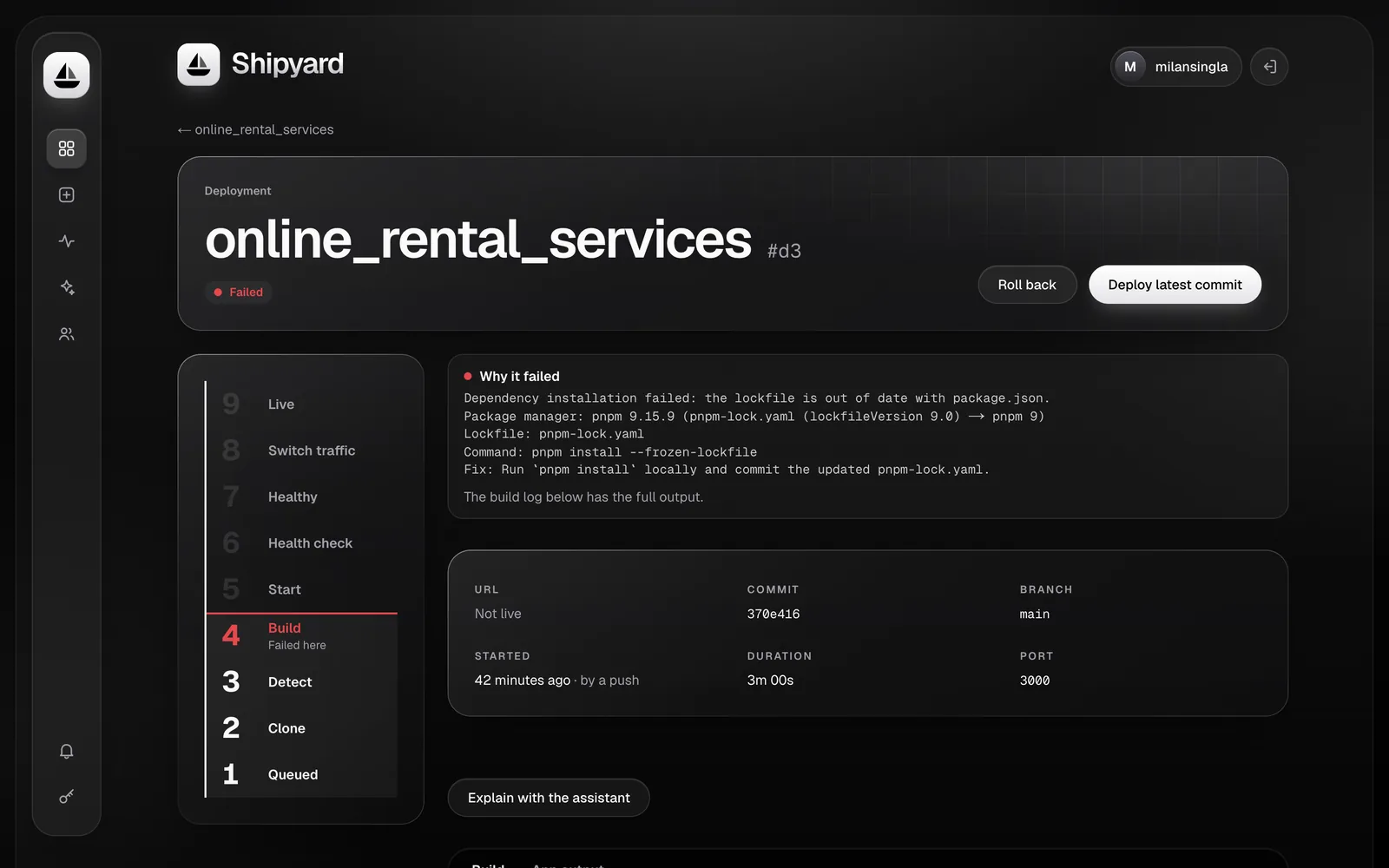
  • A deployment passes through queued, cloning, detecting, building, starting, health-checking, healthy, routing and running. A failure records the stage it failed in, plus a plain-language diagnosis. In the repository
  • Traefik switches traffic to the new version only after it answers its health check; the old version keeps serving until then. In the repository
  • One-click rollback to an earlier deployment. In the repository

Engineering decisions

  • The deploy queue lives in PostgreSQL: workers claim jobs with FOR UPDATE SKIP LOCKED and hold renewable leases, so a lost worker’s job can be recovered. In the repository
  • Repository contents are treated as untrusted input. Secrets are encrypted at rest and never baked into images. In the repository
  • A 27-model PostgreSQL schema across 28 migrations, with unit and integration test suites. In the repository
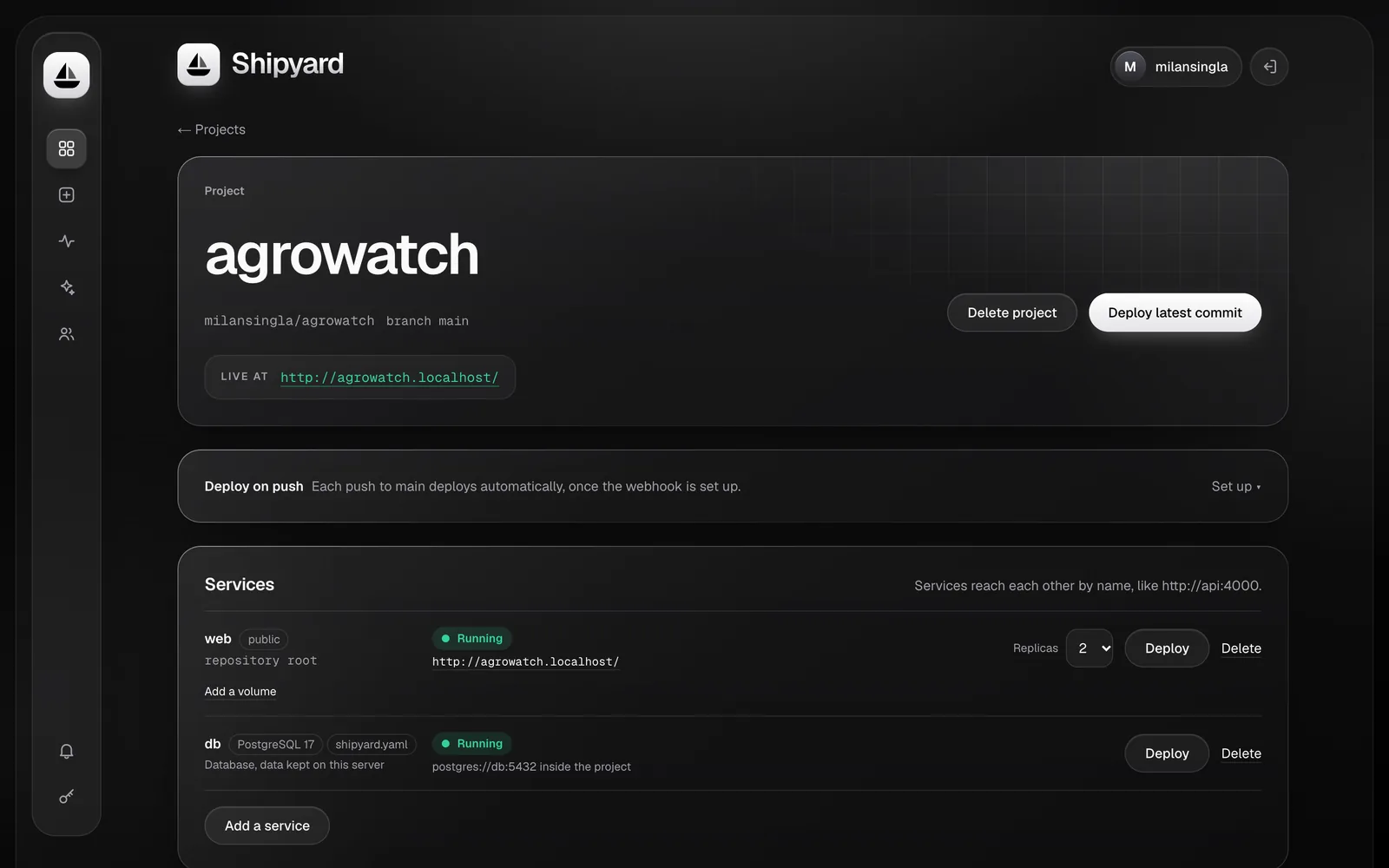
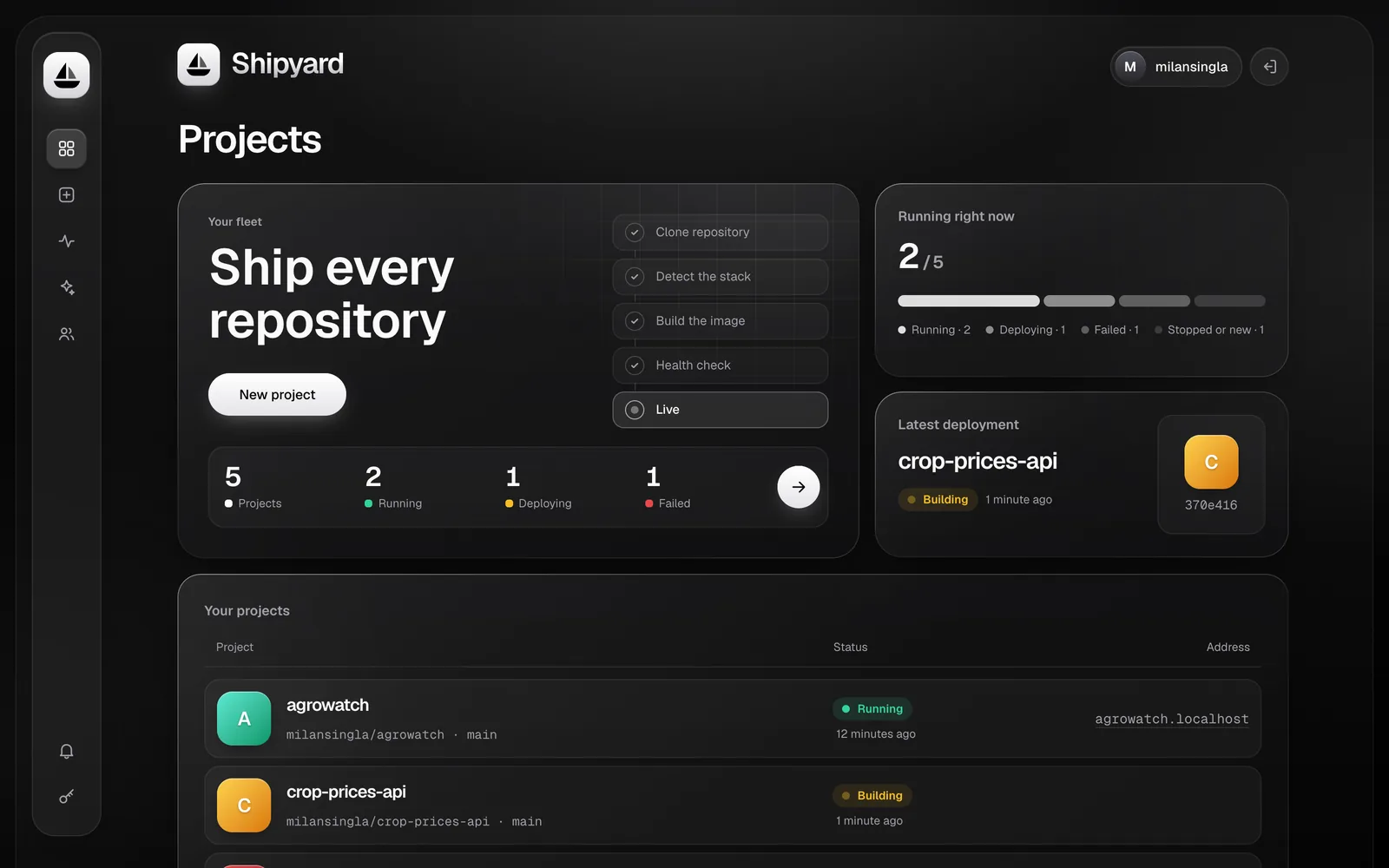
The Shipyard dashboard: a projects overview with a pipeline of clone, detect, build, health check and live, fleet counts, and a list of projects with their status and address. Sample data.

The Shipyard dashboard (sample data, from the project’s README).

Illustration: The deployment factory. A stickman beside a conveyor belt. An application box passes a build station, a health-check station that turns from checking to healthy, and a routing station that sends traffic to it. The box then opens onto the real dashboard.

02Education Technology / Learning Management System

TERMEDU

A full-stack learning management system for course access, progress tracking, and assignment submission.

Year
2026
Role
Tech Lead
  • Java
  • Android Studio
  • Firebase
  • MySQL
  • React
  • Node.js
  • Express
  • Supabase
How it’s built

What it does

  • Full-stack learning management system for course access, progress tracking and assignment submission. From the CV
  • User authentication, a course catalog, real-time notifications and an analytics dashboard. From the CV
  • Milan served as Tech Lead. From the CV

The web platform

  • The Termedu-LMS repository holds the web platform: a React 19 single-page client and a Node.js / Express API, backed by Supabase (PostgreSQL). In the repository
  • Course catalogue and video player with progress tracking, assignments and project submissions, and role-based access for students, lecturers and administrators. In the repository
  • Live classes through Daily.co, an AI-assisted entrance exam using Google Gemini, and push notifications through Firebase Cloud Messaging. In the repository

The Android app

  • A companion Android app lives in a separate repository (package in.termedu.app). It is written in Java and presents the Termedu web platform as a native app. In the repository
  • Push notifications through Firebase Cloud Messaging, with UnifiedPush as an alternative. In the repository
  • Deep links into the platform, file upload and download for course material and assignments, and lock-screen media controls. In the repository
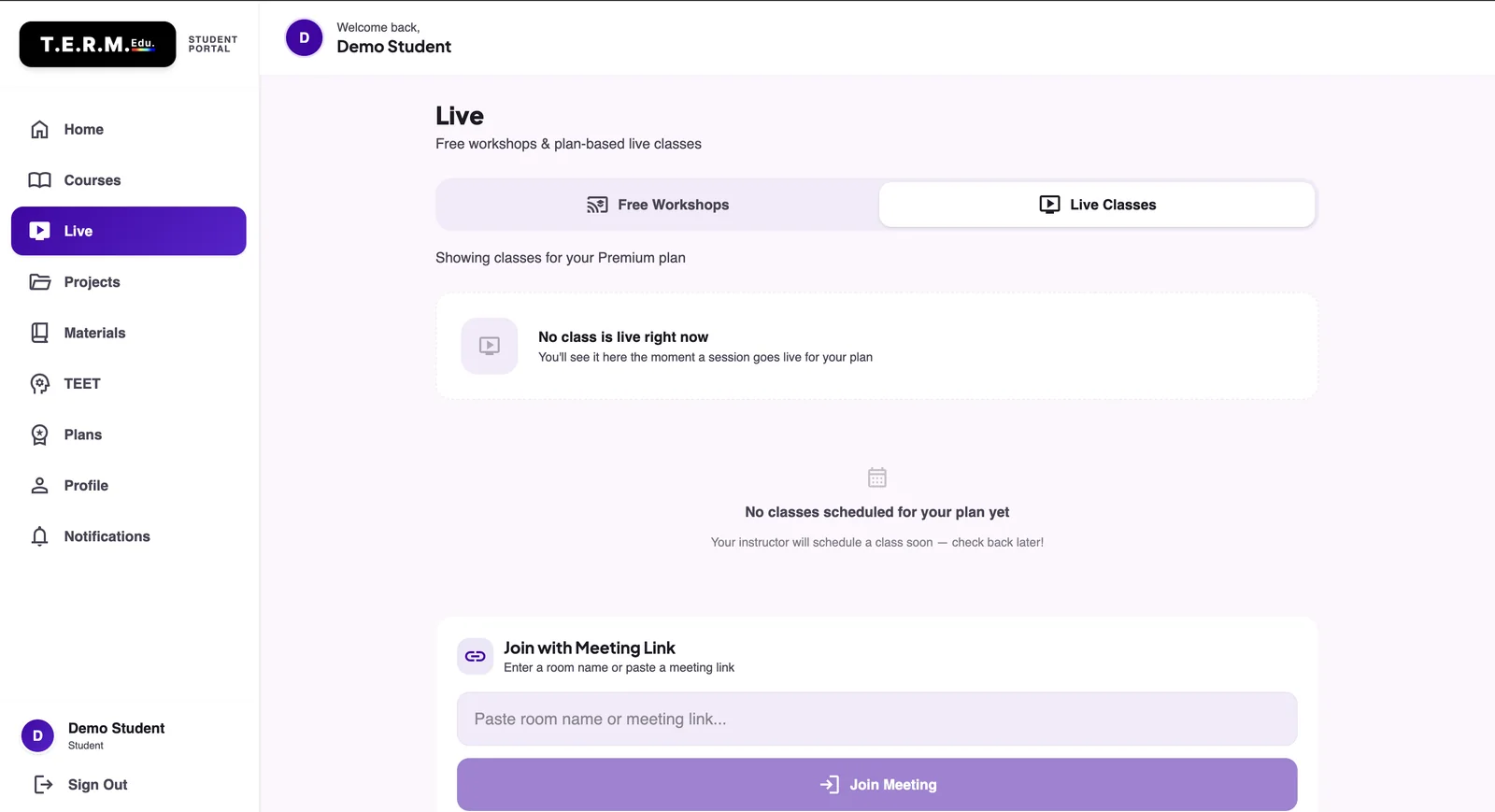
The Termedu student portal on its Live page: a sidebar with Home, Courses, Live, Projects, Materials, TEET, Plans, Profile and Notifications, a Free Workshops and Live Classes switch, and a Join with Meeting Link box. A demo student account is signed in.

The Termedu student portal (demo account).

Illustration: Building a classroom. A stickman carries in a blackboard, then draws a classroom around it: student desks, course shelves, an assignment tray and a progress chart. The drawing gives way to an interface panel.

03Real-Time Communication / Virtual Education

VRxED MEET

A real-time communication platform designed for virtual education environments.

Year
2025 – 2026
Role
Tech Lead
  • WebRTC
  • Node.js
  • JavaScript
  • Socket.io
  • Daily.co
How it’s built

What it does

  • Video conferencing platform for virtual education environments, with real-time audio and video, screen sharing, chat and recording. From the CV
  • Runs in the browser with nothing to install. In the repository
  • Live translation during meetings, as described in the repository README. In the repository

In the public repository

  • The repository holds the production build of the front end (React), not its source. That build calls Daily.co and Supabase and contains the chat, screen-share, recording and translation interface code. In the repository
  • Milan served as Tech Lead. From the CV
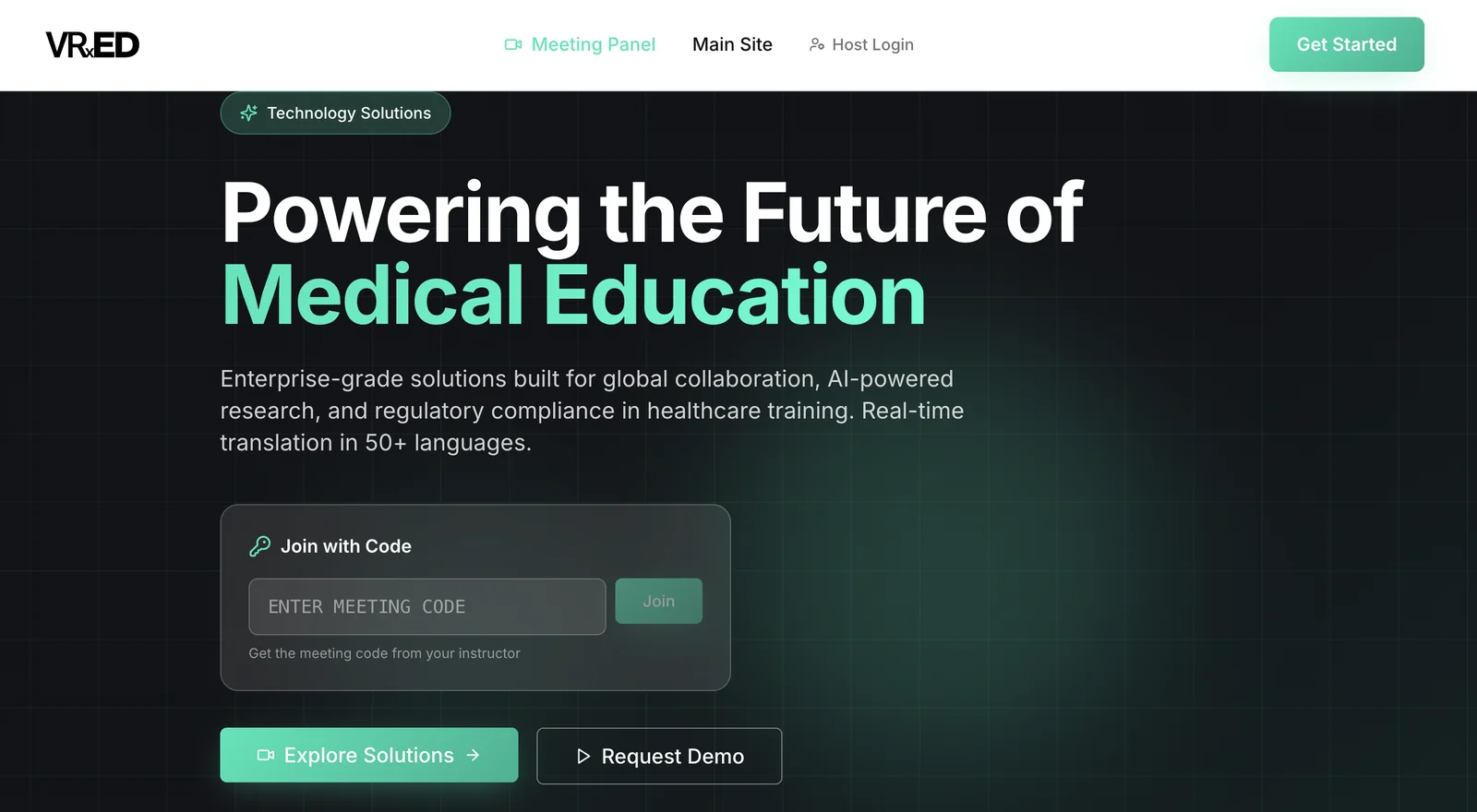
The VRxED Meet home page: the headline “Powering the Future of Medical Education”, a Join with Code box with a meeting-code field, and Explore Solutions and Request Demo buttons.

The VRxED Meet home page.

Illustration: Two people, one connection. Two stickmen on either side of the page. A pencil line from one reaches the other, then carries three small icons for video, screen sharing and chat, and finally opens into a meeting window.

04Artificial Intelligence / Analytics

VRxNURO

An AI-powered analytics platform for neural computing and predictive data analysis.

Year
2025 – 2026
  • Python
  • TensorFlow
  • Machine learning
  • Flask
  • BioMistral
How it’s built

What it does

  • Intelligent platform for neural computing and predictive data analysis. From the CV
  • Integrates machine-learning models for predictive analytics and decision support. From the CV

In the public repository

  • The repository holds the production build of the front end, a single-page app for static hosting, not its source. In the repository
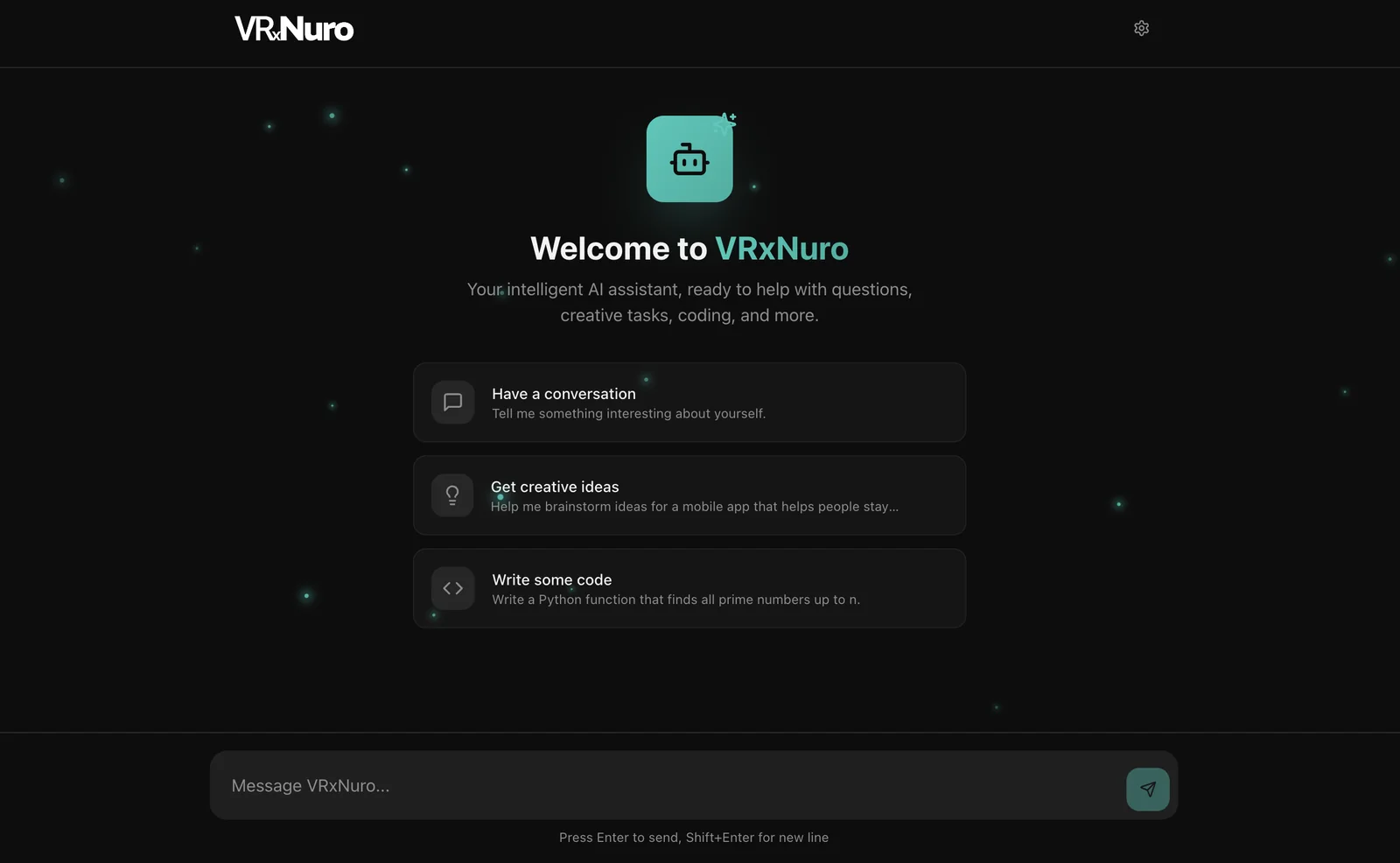
  • Its README describes VRxNuro as an AI assistant for questions, creative tasks and coding, built on the BioMistral model. In the repository

What is not claimed here

  • No accuracy, dataset-size, speed, user-count or validation figures are given: none have been verified. From the CV
The VRxNuro welcome screen: “Welcome to VRxNuro”, three starter prompts (have a conversation, get creative ideas, write some code) and a message box at the bottom.

The VRxNuro chat interface.

Illustration: The idea becomes a network. A single point on the page. A stickman touches it with a pencil and it branches into a network of connected nodes, which settles into a hand-drawn chart and then an interface panel.
Back to the projects

PART 04 / THE PLAYGROUND

A LITTLE PLAYGROUND.

Three small things to poke at. All optional, none of them stands between you and the real content.

01

Secret terminal

Only four commands exist. Try them all.

A simulated terminal. It knows four words and runs nothing real.

Type “help”, or use the buttons below.

02

Cursor artist

A blank pad. Draw whatever you like with a mouse, finger or stylus. Nothing is saved or sent anywhere.

Brush colour

03

Debugging incident

A deploy that goes about as well as you would expect. It never leaves this box.

Nothing has fallen. Yet.

LET’S BUILD SOMETHING INTERESTING.

Have an idea, a project, or an opportunity? Let’s talk.